 Spektiq
Best Local LLM for Coding (October 2026)
· 15 min read
The short answer, dated October 2026
You want an open-weight model that does real repo work on your own machine: edits that span several files, refactors, bug fixes that need the surrounding code. You want an agent like Cline or Qwen Code to drive it, served by Ollama, llama.cpp or LM Studio, with no cloud subscription. Here is the short answer, based on model cards and documentation read on 2026-10-21. This article publishes no benchmark of its own: it tells you what each model is built for, what it takes to load, and how to run a fair four-task check on your own repo. Three current coders are worth trying first, and this shortlist is not exhaustive. The small Qwen3-Coder instruct model is a mixture-of-experts model under Apache-2.0, built for agentic coding and tool calling. As of 2026-10-21, Qwen also publishes Qwen3-Coder-Next, a newer and much larger mixture-of-experts coder under Apache-2.0; the small Qwen3-Coder instruct model is the one sized for a single machine with enough memory (see the table below). Devstral Small 2 from Mistral is under Apache 2.0, supports tool calling and lists many compatible agents and local servers. The dense Qwen3.6 model is under Apache-2.0, with thinking on by default. Which one is "best" depends on the agent harness and the context setting, not only on the weights. This shortlist also moves every few months, so treat it as dated, not as a final ranking.
If you want a single starting point for an agent loop, the small Qwen3-Coder model is the simplest. Its card names Qwen Code and Cline as supported platforms, and it produces no reasoning blocks that the agent has to parse around. That makes it a default to beat, not a winner. The rest of this article explains why published leaderboards will not settle the question, what each candidate is built for, what it takes to load them, the configuration trap that makes good models look bad, and how to run your own check on your own code.
Why vendor SWE-bench scores will not pick for you
Search for the best local coding model and you get ranked lists that do not always agree. Many of them repeat vendor benchmark scores, often SWE-bench Verified, taken from model cards. A copied number keeps the weaknesses of the benchmark that produced it.
Those weaknesses are documented. Epoch AI's review of SWE-bench Verified rates it "Flawed", for three reasons. The benchmark is static, so current models have been trained on the codebases it draws from. Many of the tasks that models commonly fail reject correct fixes. And results depend heavily on the scaffold, meaning the agent code wrapped around the model.
The same review reports that OpenAI announced in February 2026 that it no longer reports SWE-bench Verified, because gains increasingly reflect training exposure to the problems. That account comes through Epoch AI quoting OpenAI, not from OpenAI's own page, which we could not read directly.
Scaffold dependence shows up in the model cards too. Qwen ran its own coding benchmarks for the dense Qwen3.6 model through specific harnesses, OpenCode and Harbor/Terminus-2. Those scores describe the model plus that harness. Put them next to a score from another lab using another scaffold and you are no longer comparing like with like.
Independent leaderboards help less than you would hope here. Aider's polyglot leaderboard tests models on Exercism exercises in C++, Go, Java, JavaScript, Python and Rust. When we checked on 2026-10-21, its last update was in November 2025, so it did not cover the open-weight coders released in 2026.
So read every vendor score as a claim, not an independent measurement. Never compare scores from different scaffolds as if they were equivalent. That is why this article quotes no benchmark score.
The local coding models worth trying, by how you will use them
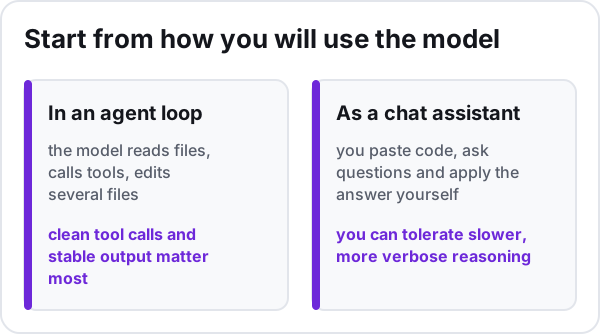
Start from how you will use the model. In an agent loop, the model reads files, calls tools, edits several files and checks its own work across many turns, so clean tool calls and stable output matter most. As a chat assistant you paste code, ask questions and apply the answer yourself, so you can tolerate slower, more verbose reasoning.
Qwen3-Coder: the agent-first default
Qwen3-Coder's small instruct model is a mixture-of-experts model under Apache-2.0, designed for agentic coding and tool calling. It runs in non-thinking mode only, so it never emits think blocks. In an agent loop that keeps the output clean: no reasoning to strip before the tool call, and no think block for the harness to trip over.
On the serving side, Ollama's qwen3-coder page describes the family as Alibaba's long-context models for agentic and coding tasks. It offers a small MoE tag usable on a single machine with enough memory (see the table below), next to a flagship too demanding for most ordinary machines, though a machine with a very large amount of memory can run it locally. Pull the small tag.
Devstral: built around OpenHands, now broadly compatible
Mistral built the original Devstral with All Hands AI, the team behind OpenHands, and released it under Apache 2.0. Mistral also states it is light enough for a single high-end consumer GPU or a well-equipped Mac. That is a vendor claim, not a measurement.
Devstral Small 1.1 kept the open weights under Apache 2.0. Mistral says it works best with OpenHands, and it accepts both Mistral function calling and XML tool formats, which helps if your harness expects one or the other. Devstral Medium is a different case: it is not open-weight and is only offered through the API or on-premise on request, so it is out of scope here.
Devstral Small 2 is the current small open release, under Apache 2.0 with tool calling. Its larger sibling, Devstral 2, also has open weights, but under a modified MIT license and at a size too demanding for most ordinary machines, though a machine with a very large amount of memory can run it locally (checked on 2026-10-21). The Devstral Small 2 card lists Mistral Vibe CLI (recommended), Cline, Kilo Code, Claude Code, OpenHands and SWE-agent as compatible tools. For local serving it lists vLLM, SGLang, llama.cpp, LM Studio and Ollama.
Qwen3.6 dense: thinking by default
The dense Qwen3.6 model comes with a vision encoder, under Apache-2.0. It was released in April 2026, per its citation. Thinking is on by default. A preserve_thinking option keeps earlier reasoning across turns in an agent loop, and the card recommends a lower sampling temperature for precise coding than for general thinking. That reasoning may suit a chat assistant reviewing tricky code, where slower, visible reasoning costs you little; check it on your own code. In an agent loop, check that your harness handles the reasoning output well.
Its mixture-of-experts sibling in the Qwen3.6 line is also under Apache 2.0, but the dense model's own card, which compares the two, scores the mixture-of-experts sibling below the dense model on Qwen's coding benchmarks. That is a vendor comparison under Qwen's harnesses, so verify it on your own tasks.
Mixture of experts, in plain terms
A mixture-of-experts model holds many expert sub-networks and routes each token through only a few of them. Two numbers matter, and the name often gives both: the total parameter count and the active parameter count. Memory follows the total, because every expert has to be loaded even though only a few work on each token. Compute per token follows the active count, because that is how much is actually computed for each token, so speed follows the active count more than the total, though the hardware and the runtime also set the pace. An MoE coder can therefore feel quick and still need as much memory as a dense model of its total size.
What it takes to load them: the weights in memory
Hardware comes after the use case. Once you know which model you want to try, the question is whether its weights fit. The table below is a reference by parameter count, using the dense Qwen2.5 family across four sizes. For each size it estimates the weight file at common GGUF quantizations. The values are computed, not measured: parameters multiplied by bits per weight, converted to bytes, with the bits-per-weight figures measured by llama.cpp on another model (see the table's sources).
| Model | Parameters (model card) | Q4_K_M (4.8944 bits/weight) | Q6_K (6.5633 bits/weight) | Q8_0 (8.5008 bits/weight) | F16 (16.0005 bits/weight) | Sources |
|---|---|---|---|---|---|---|
| Qwen2.5-7B-Instruct | 7.61 billion | 4.7 GB | 6.2 GB | 8.1 GB | 15.2 GB | [1] [2] |
| Qwen2.5-14B-Instruct | 14.7 billion | 9.0 GB | 12.1 GB | 15.6 GB | 29.4 GB | [1] [3] |
| Qwen2.5-32B-Instruct | 32.5 billion | 19.9 GB | 26.7 GB | 34.5 GB | 65.0 GB | [1] [4] |
| Qwen2.5-72B-Instruct | 72.7 billion | 44.5 GB | 59.6 GB | 77.3 GB | 145.4 GB | [1] [5] |
Each value is computed, not measured: parameters × bits per weight ÷ 8, in decimal gigabytes (1 GB = 10^9 bytes, slightly less than one GiB).
The bits-per-weight figures were measured by the llama.cpp project on Llama 3.1 8B files. Applied to other models they estimate the size of the weight file; they are not a measured size for that model.
llama.cpp's quantization README states that memory and disk requirements are the same because models are fully loaded into memory. The llama-server README is more nuanced: the server memory-maps the weight file (mmap) rather than locking it in RAM (mlock) unless asked to, and its --lazy-mode option reads certain tensors, such as per-layer embeddings, from disk on demand instead of keeping them resident. Reading from disk is slower than reading from memory, so the figures here describe the weights fully resident: to run at full speed, the weight file has to fit in RAM, in VRAM, or across both.
This table counts the weights only. It does not count the memory a runtime uses for the conversation context or its own buffers, so it is a lower bound, not a full hardware requirement.
Lower-bit formats trade quality for size. The table says what fits, not how well a given format answers.
Sources
- llama-quantize README, Memory/Disk Requirements and Quantization sections (measured on Llama 3.1 8B), ggml-org/llama.cpp (GitHub), read on 2026-10-05
- Qwen2.5-7B-Instruct model card, Qwen (Hugging Face), read on 2026-10-05
- Qwen2.5-14B-Instruct model card, Qwen (Hugging Face), read on 2026-10-05
- Qwen2.5-32B-Instruct model card, Qwen (Hugging Face), read on 2026-10-05
- Qwen2.5-72B-Instruct model card, Qwen (Hugging Face), read on 2026-10-05
- llama-server README, model loading options (--load-mode, --lazy-mode), ggml-org/llama.cpp (GitHub), read on 2026-10-12
To use it, take your candidate's total parameter count from its model card, pick the nearest row, and multiply that row's value by the ratio between your candidate's parameter count and the row's, because the weight size scales in proportion to the parameter count. Reading a neighbouring row as-is can be far off. For a mixture-of-experts model that means the total, not the active count, because every expert has to be loaded even though only a few are used per token. If the model ships extra components, such as the vision encoder of the dense Qwen3.6 model, check on its card whether the parameter count includes them; if it does not, their weights come on top. The table counts weights only. Context and runtime buffers come on top, so treat each value as a lower bound, not a full hardware requirement.
Fitting also means resident. For full speed the weight file has to sit in RAM, in VRAM, or across both. If it does not, a runtime that memory-maps the file, such as llama-server, reads parts of it from disk, which is slower. If you first need to know what size your machine can hold at all, start with our guide to the best local LLM for your hardware.
The silent trap: Ollama's default context length
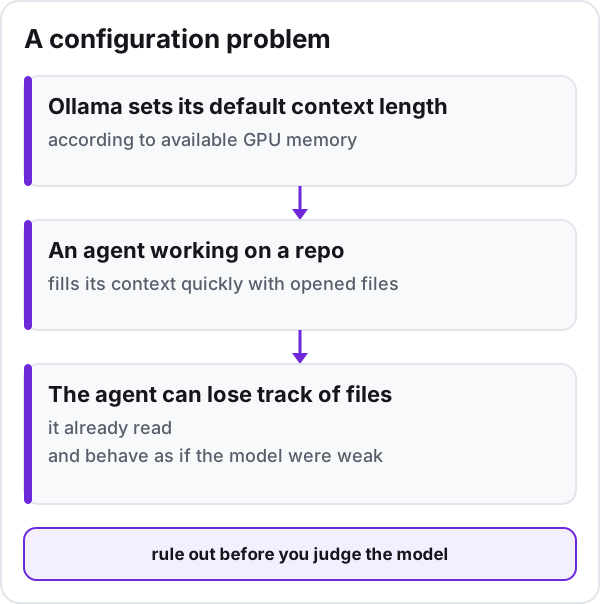
This failure is easy to blame on the model. Ollama sets its default context length according to available GPU memory, so a smaller GPU gets a short default unless you change it. An agent working on a repo fills its context quickly with opened files, tool results and its own plan. When the context is too short for the work, the agent can lose track of files it already read and behave as if the model were weak. That is a configuration problem to rule out before you judge the model.
Ollama's context-length documentation says tasks that need a large context, such as agents and coding tools, should have it raised. You can set the OLLAMA_CONTEXT_LENGTH variable when starting the server, or use the context slider in the app. The documentation also recommends checking with ollama ps that the model is not offloaded to the CPU, because a larger context needs more memory and can push part of the model off the GPU.
# start the server with a larger context (replace the placeholder with your value)
OLLAMA_CONTEXT_LENGTH=<your-context-length> ollama serve

# in another terminal, once the model is loaded
ollama ps
The Qwen3-Coder card adds the reverse case: if you hit out-of-memory errors, reduce the context length. It also warns that older versions of the transformers library fail to load the model, which matters if you load it with the transformers library, or a server built on it, not through Ollama, llama.cpp or LM Studio. A sound setting is the largest context that does not push the model off the GPU. If you are new to local runtimes, our guide to running an LLM locally covers installation and the basics of running costs.
Run your own real-task check before you commit
A ranked list cannot tell you how a model behaves on your code, under your harness. A short, controlled check can. Pick four tasks from a real repository you know well:
- a repo-level bug fix, where the cause and the symptom live in different files;
- a refactor, such as renaming or extracting a function used across the codebase;
- writing tests for an existing, untested module;
- an agentic multi-file edit, such as adding a small feature that touches several layers.
Keep everything else fixed. Use the same agent harness for every model, the same context setting, and the same prompt for each task. Work in a throwaway copy of the repository, such as a fresh clone, that holds nothing you could not get back: no untracked files, no uncommitted work, no credentials or local data that exist only there. Record its starting state before the first run, by committing everything in that copy, and bring the copy back to that commit before the next model, so each one sees the same code. Restoring from a commit only covers the files that commit tracks; anything an agent creates, changes or deletes outside version control is not protected, which is why the copy must contain nothing you would miss. A branch in your usual working directory is not that protection. Change only the model, so a difference in outcome points at the model.
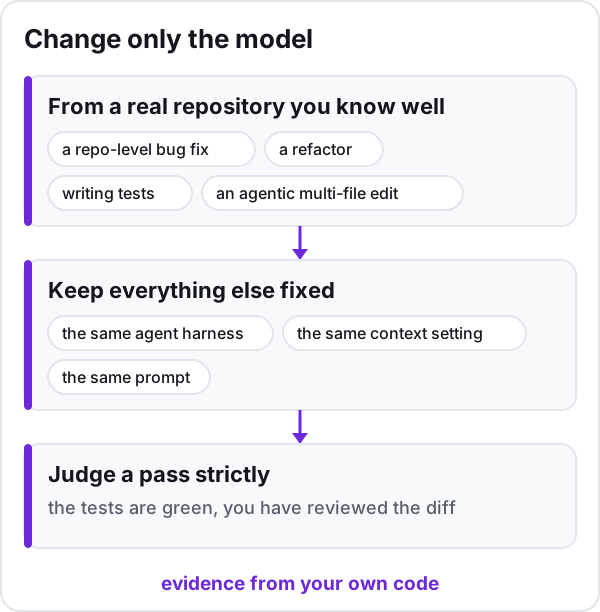
For each run, record whether it passed, whether it broke something and how, the memory Ollama reports for the loaded model (the SIZE column of ollama ps, which describes the loaded model, not the peak use of the agent and its tools) and the wall time from prompt to final edit. Judge a pass strictly: the tests are green, you have reviewed the diff and would merge it, and no file was lost or emptied along the way. A run that passes tests but deletes an unrelated file is a failure.
One rule before ruling a model out: if it failed under a short context, raise the context and run it again. Otherwise you are measuring the Ollama default from the previous section, not the model. Only a failure that survives an adequate context counts against the model.
What you get is evidence from your own code instead of a vendor ranking. It will not produce a universal winner, and it does not need to: it tells you which model your harness, your hardware and your repo actually work with.
If your GPU is small, a full agent loop on these models may be out of reach, but some local help for code may still be. Our guide to local LLMs on a small-VRAM card covers what still works for code completion and what does not.
The sources behind the prose of this article (model cards, licenses, the Ollama documentation and the state of the benchmarks) were read on 2026-10-21. The weight-memory table carries its own source dates. Open-weight coders ship often, so recheck before you commit, and rerun your four tasks when a new candidate appears.